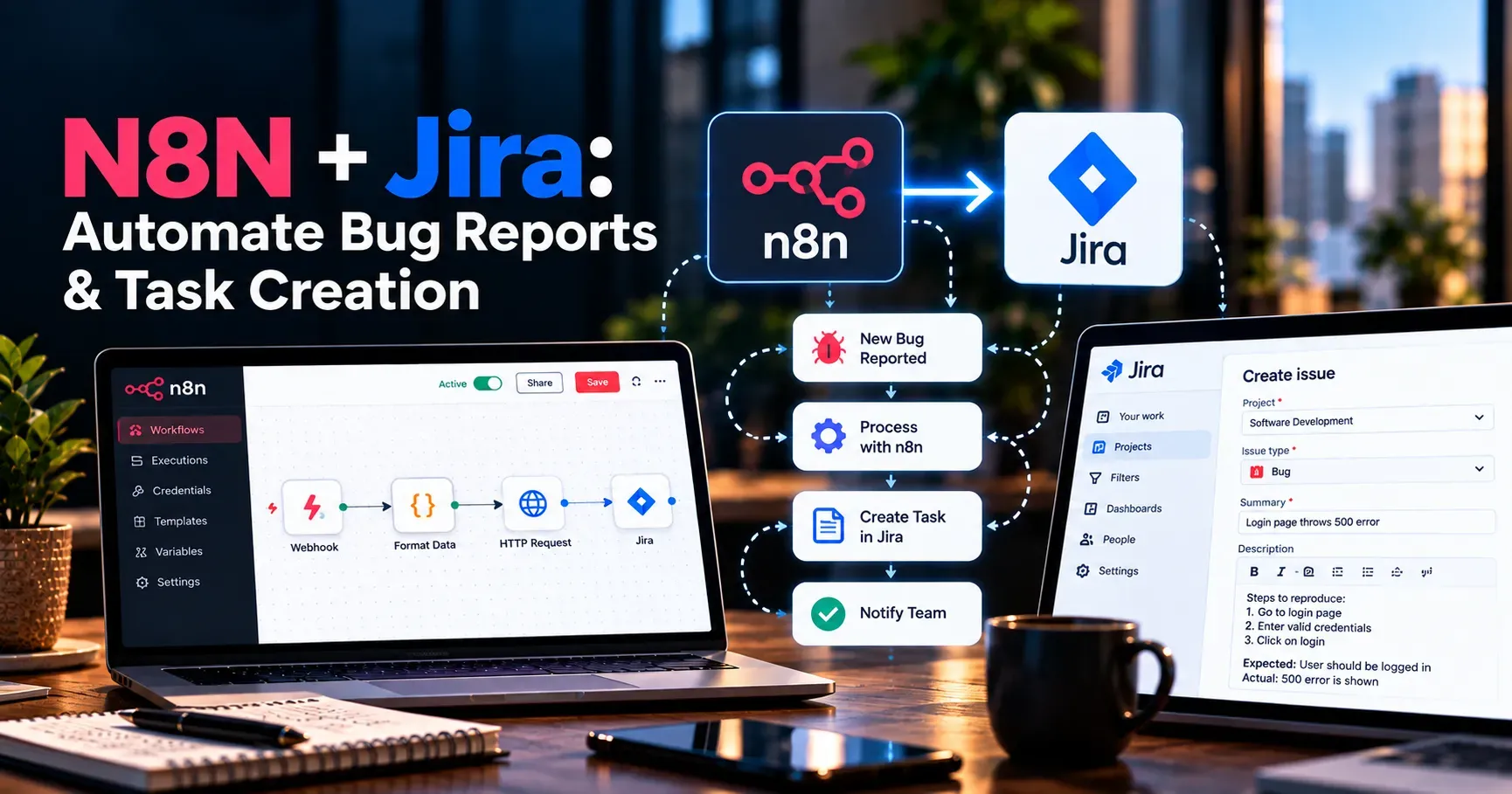
N8N Jira Automate Bug Reports and Task Creation
Bug reports and tasks tend to arrive from everywhere at once, a customer email, a message in a team chat, a form on your website, an error flagged by a monitoring tool. Turning each of those into a properly formatted Jira ticket by hand is repetitive work that slows teams down and leads to missing details, duplicated tickets and issues that never get logged at all. Combining N8N, a flexible workflow automation platform, with Jira allows teams to capture issues from any source and create well structured tickets automatically. This guide explains how to use N8N and Jira together to automate bug reports and task creation in 2026, covering setup, practical workflow examples and best practices for keeping your automation reliable and your backlog clean.
Why Automate Bug Reports and Task Creation
Manual ticket creation depends on someone noticing an issue, deciding it deserves a ticket, gathering the relevant details and entering them correctly. Every step introduces delay and the possibility of error. Important context such as the affected page, the customer involved or the steps to reproduce a problem is often lost between the original report and the final ticket.
Automation removes much of this friction by capturing information at the source and creating tickets consistently, so developers receive complete, standardized reports and product managers gain a more accurate picture of what is actually being reported by customers and colleagues.
How N8N Connects to Jira
N8N connects to Jira through its API, allowing workflows to create issues, update fields, add comments, change statuses and search for existing tickets. Workflows can begin from many kinds of triggers, including form submissions, incoming emails, chat messages, webhooks from monitoring tools or scheduled checks.
Once triggered, N8N can transform the incoming data into the exact format Jira expects, apply rules about priority or assignment and then create the ticket, all without anyone opening Jira manually to type in the details.
Setting Up the N8N and Jira Connection
Prepare Your N8N Instance
Choose between a cloud hosted or self hosted N8N setup depending on your team's technical resources and data requirements, and confirm the instance is running and reachable before you begin building workflows.
Create a Jira API Token
Generate an API token from your Atlassian account settings. This token, combined with your account email and Jira site address, allows N8N to authenticate securely with Jira and act on your behalf.
Add the Jira Credential in N8N
Add your Jira credential within N8N so your workflows can interact with your projects. Consider using a dedicated service account rather than a personal one so that automation does not break when someone leaves the team.
Test the Connection
Before building anything complex, run a simple test such as retrieving a list of projects or creating a single test issue in a sandbox project to confirm that authentication and permissions work as expected.
Practical Workflow Examples
Creating Tickets From Web Forms
Build a workflow that triggers when someone submits a bug report or feature request form on your website or in an internal tool. N8N maps the form fields to Jira fields such as summary, description, priority and labels, then creates the ticket and can send a confirmation with the ticket link back to the person who submitted it.
Turning Chat Messages Into Tasks
Configure a workflow that watches for a specific emoji reaction or command in a team chat channel. When a message is flagged, N8N creates a Jira task containing the message text, the author and a link to the original conversation so context is never lost.
Logging Errors From Monitoring Tools
Connect your error monitoring or uptime tools to N8N through webhooks so that new errors automatically create Jira bugs with the stack trace, environment and frequency included. Add logic to avoid creating a new ticket if an open ticket for the same error already exists.
Converting Support Requests Into Bug Tickets
Create a workflow that reads tagged support tickets or emails, extracts the key details and creates a linked Jira bug for the engineering team, keeping support and development aligned without manual copying between systems.
Creating Recurring Tasks on a Schedule
Use a scheduled trigger to create routine tasks such as weekly maintenance checks, monthly security reviews or recurring release preparation steps, ensuring they appear in the backlog on time without anyone remembering to add them.
Syncing Status Updates Back to the Reporter
Build a workflow that monitors Jira status changes and notifies the original reporter or a support channel when a bug is fixed or a task is completed, closing the loop automatically and keeping everyone informed.
Building Your First N8N to Jira Workflow
Define the Trigger
Decide what event should start the workflow, whether that is a form submission, a webhook, a chat command or a schedule, and confirm you can capture the data you need from it.
Clean and Map the Data
Use N8N to tidy incoming data, trim whitespace, standardize values and map fields to the Jira fields you want to populate. Pay particular attention to required fields, issue types and project keys.
Add Rules for Priority and Assignment
Apply conditional logic to set priority based on keywords, customer tier or error severity, and to route tickets to the right project, component or assignee for faster handling.
Create the Issue and Confirm
Use the Jira node to create the issue, then optionally post the new ticket link to a chat channel or send it to the reporter so everyone knows the report was received and recorded.
Test Before Going Live
Run the workflow with realistic sample data in a test project, verify that tickets look exactly as intended and only then switch it to your live project.
Preventing Duplicate and Low Quality Tickets
Search Before Creating
Add a step that searches Jira for existing open issues with matching identifiers, such as an error signature or customer reference, and add a comment to the existing ticket instead of creating a new one.
Require Minimum Information
Validate that essential details are present before creating a ticket. If key information is missing, route the report to a follow up step asking the reporter for more detail rather than creating an incomplete ticket that developers cannot act on.
Use Consistent Templates
Structure descriptions with clear sections such as summary, steps to reproduce, expected result and actual result, so developers can act quickly on every ticket without having to hunt for information.
Best Practices for Reliable Jira Automation
Start With One High Value Workflow
Begin with the source that produces the most manual ticket creation, prove that it works, and then expand gradually to other sources as confidence grows.
Handle Errors Gracefully
Configure error notifications so that if a workflow fails, for example because of an expired token or a changed field, someone is alerted rather than reports silently disappearing.
Respect Rate Limits
Be aware of Jira API limits and design bulk workflows with sensible pacing so busy periods do not cause failures or dropped requests.
Document Your Workflows
Keep short notes on what each workflow does, which fields it sets and who owns it, so the system stays maintainable as the team changes over time.
Review Automation Regularly
As your Jira projects, fields and processes evolve, revisit workflows to make sure they still map to the right fields and follow current team conventions.
Common Challenges and How to Address Them
Custom fields in Jira often have specific identifiers that must be referenced correctly, so take time to look them up and test them. Permission issues can prevent ticket creation, particularly when the service account lacks access to a project or issue type.
Too much automation can flood a backlog with low value tickets, so use thresholds and filters to ensure only meaningful reports become tickets. Finally, inconsistent incoming data from different sources can cause mapping errors, making a standardization step early in each workflow especially valuable.
Measuring the Impact of Ticket Automation
Track the time between a report being made and a ticket existing, comparing it with your previous manual process. Monitor the completeness of tickets, for example how often developers need to ask for missing information. Watch the number of duplicate tickets and how quickly issues reach the right assignee.
Gather feedback from developers, support staff and product managers on whether the process feels smoother and whether the backlog is easier to trust as a source of truth for planning.
A Simple Getting Started Checklist
Set up your N8N instance and connect it to Jira with a dedicated service account. Choose the single most common source of manual ticket creation. Build a workflow that maps that source to a well structured Jira ticket.
Add duplicate checks and minimum information validation. Test thoroughly in a sandbox project before switching to production. Add error notifications and short documentation. Gather feedback after a few weeks and expand to additional sources based on real needs.
Final Thoughts
Combining N8N and Jira gives teams a practical way to capture issues from wherever they arise and turn them into consistent, actionable tickets without manual effort. By starting with one valuable workflow, preventing duplicates, validating information and monitoring reliability, teams can keep backlogs cleaner, shorten the path from problem to fix and free people to spend more time solving issues rather than recording them throughout 2026 and beyond.