How to Create Your First Workflow in N8N (Step-by-Step Guide)
If you're new to automation, N8N is one of the best tools to get started. It allows you to connect apps, automate tasks, and build powerful workflows all without heavy coding.
In this guide, you’ll learn how to create your first workflow in N8N step-by-step, even if you're a complete beginner.
🤖 What is a Workflow in N8N?
A workflow in N8N is a sequence of automated steps:
👉 Trigger → Action → Result
Example:
- Trigger: Form submission
- Action: Save data to Google Sheets
- Result: Send confirmation email
Step-by-Step: Create Your First Workflow
🟢 Step 1: Open N8N Dashboard
After setting up N8N (cloud or self-hosted), open your dashboard.
👉 Click on “New Workflow”
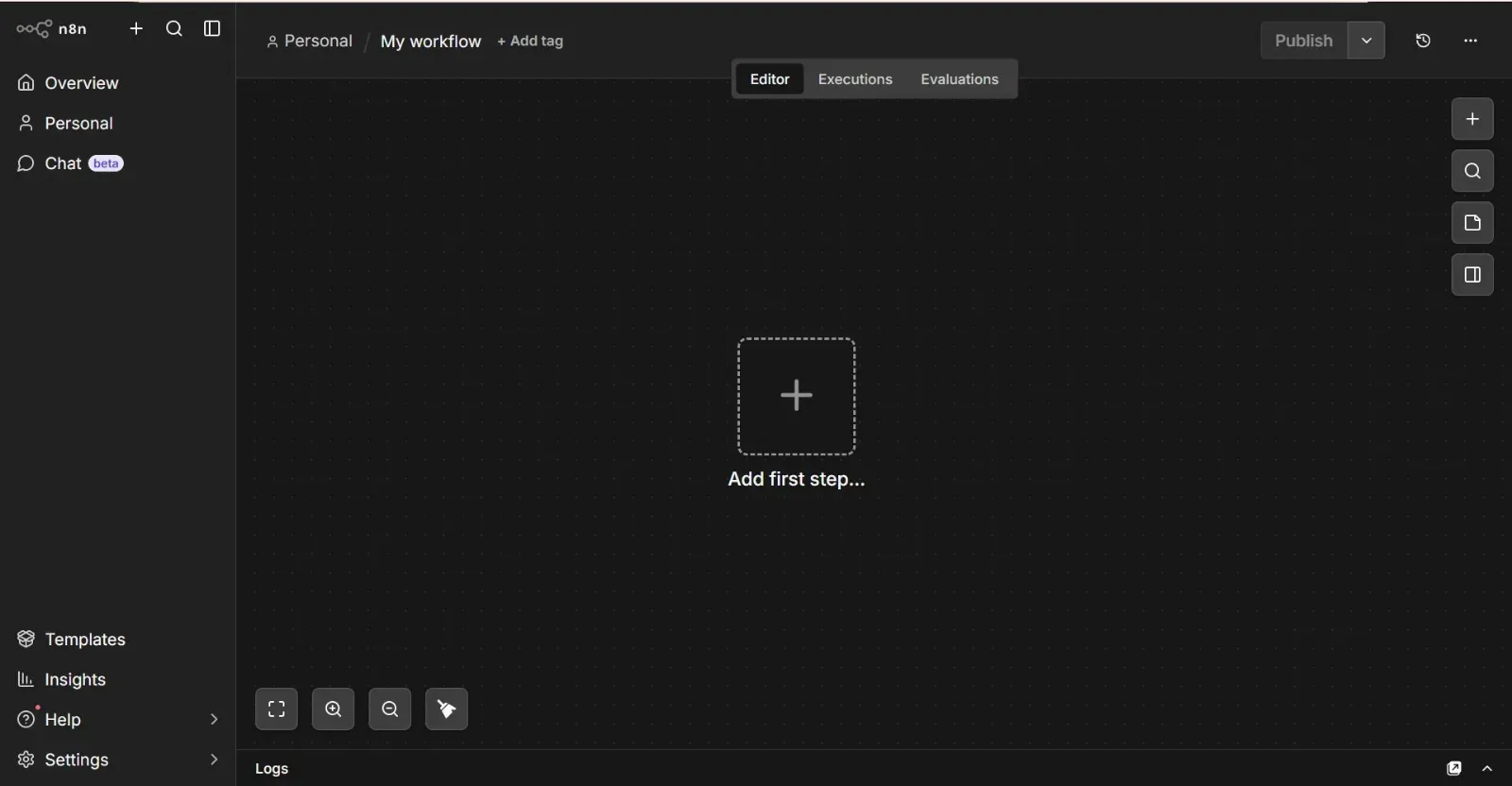
🟢 Step 2: Add a Trigger Node
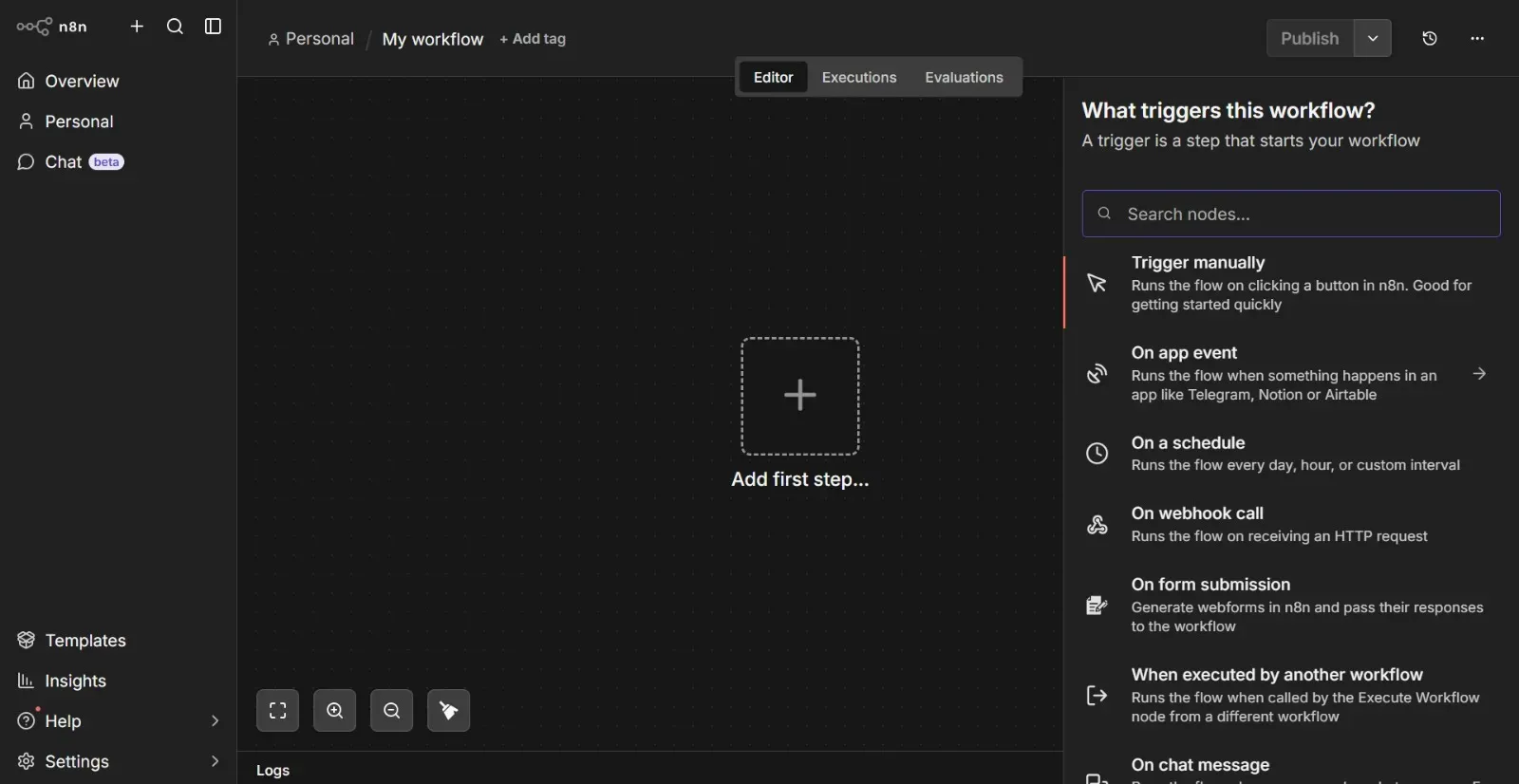
A trigger starts your workflow.
Popular triggers:
- Webhook
- Schedule (Cron)
- App triggers (Gmail, Slack, etc.)
👉 Example:
Select Webhook Trigger
🟢 Step 3: Add an Action Node
Now, add what you want to happen after the trigger.
👉 Click ➕ and choose:
- Google Sheets
- HTTP Request
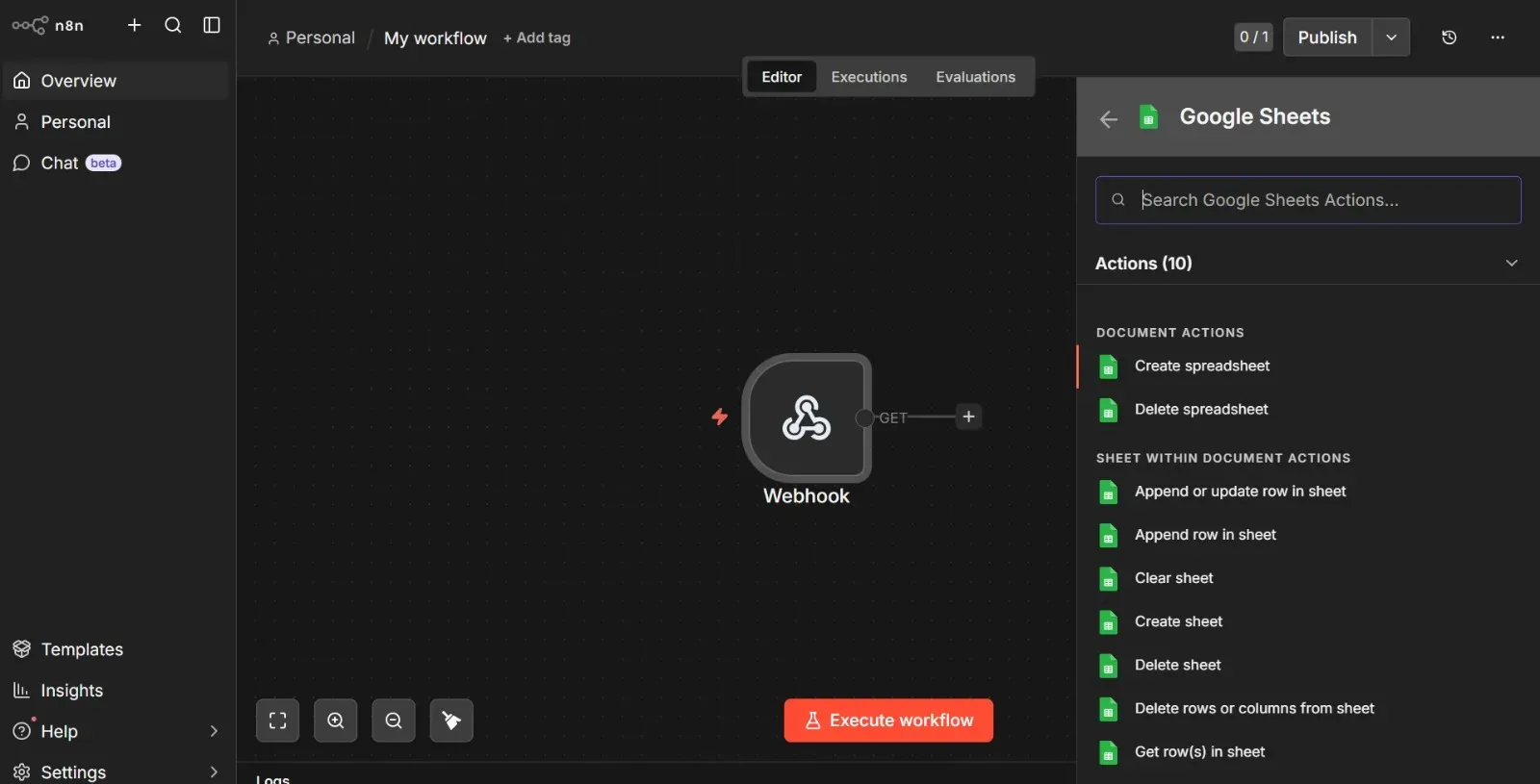
Example:
Add Google Sheets Node
- Select operation: Append Row
- Connect your account
🟢 Step 4: Connect the Nodes
Drag a line from:
👉 Trigger → Action
This defines the workflow sequence.
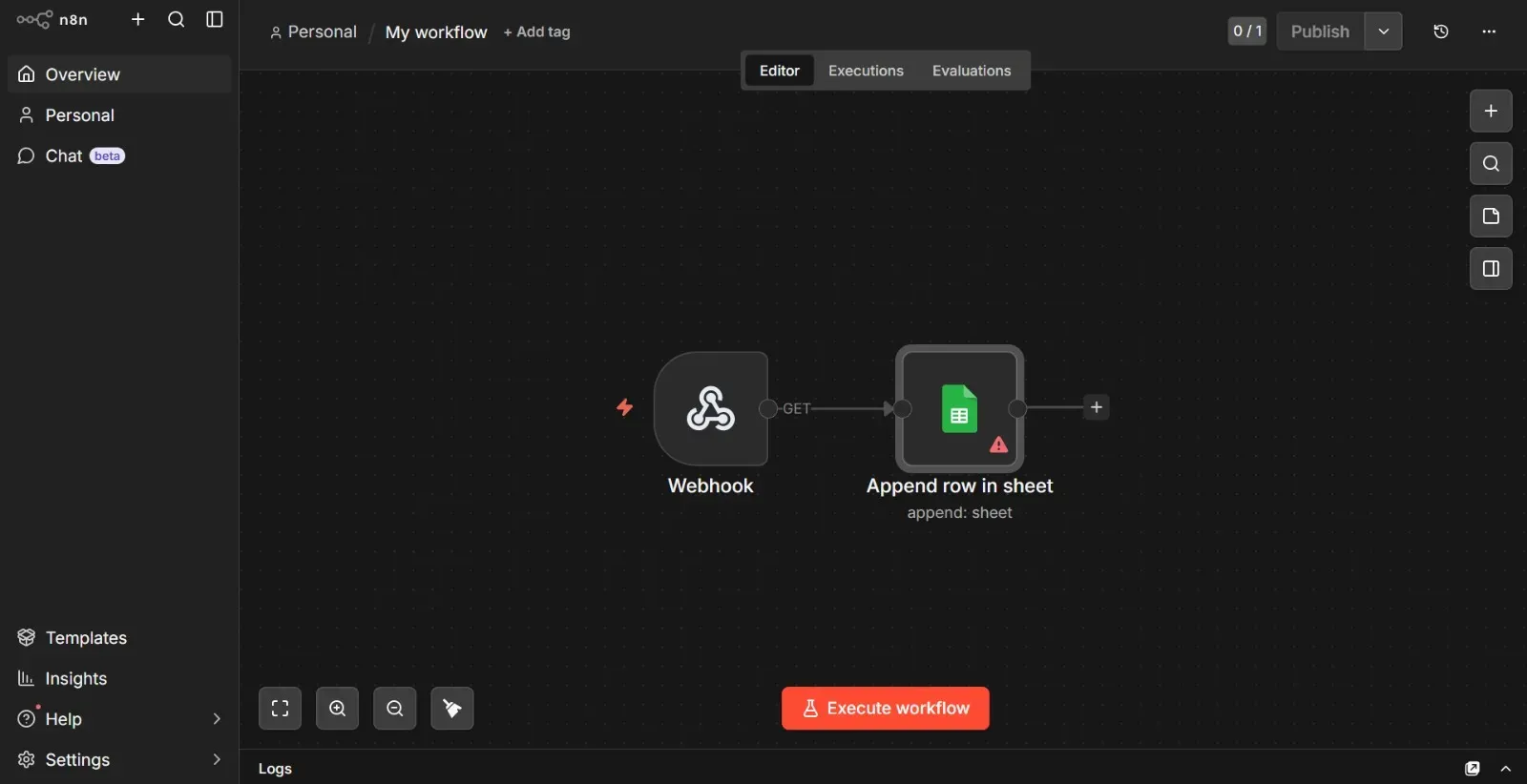
🟢 Step 5: Configure the Node
Fill in required details:
- Sheet name
- Data fields
- Credentials
👉 Make sure everything is correctly mapped.
🟢 Step 6: Test Your Workflow
Click “Execute Workflow”
👉 Check:
- Is data flowing correctly?
- Any errors?
🟢 Step 7: Activate Workflow
Once everything works:
👉 Click “Activate”
🎉 Your automation is now live!
Example Workflow (Beginner Friendly)
👉 Form → Google Sheets → Email
This workflow:
- Captures form data
- Stores it
- Sends confirmation automatically
Common Mistakes to Avoid
- ❌ Not testing before activating
- ❌ Wrong credentials
- ❌ Incorrect data mapping
- ❌ Forgetting to activate workflow
💡 Pro Tips
- Start with simple workflows
- Use Webhooks for flexibility
- Add error handling nodes
- Keep workflows clean and organized
🌐 Why N8N is Powerful
- Open-source
- Highly customizable
- Supports APIs
- Perfect for AI + automation
Final Thoughts
Creating your first workflow in N8N is easier than you think.
Once you understand the basics, you can build powerful automation systems that save time and scale your work.
👉 Start small, then build bigger workflows step by step.
About VKTech AI
At VKTech AI, we help you:
- Build automation systems
- Learn N8N workflows
- Scale using AI tools
Stay tuned for more tutorials