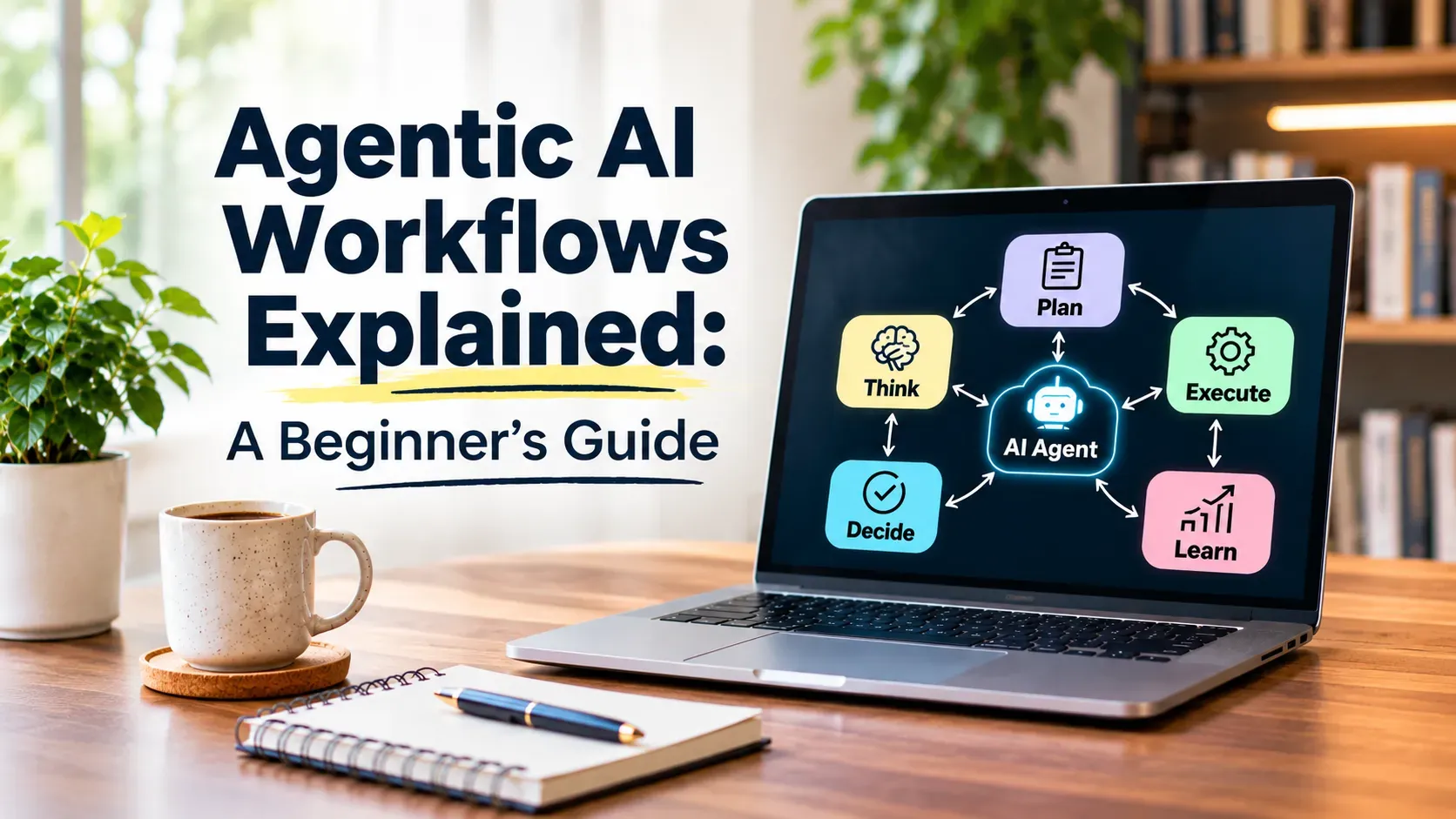
Agentic AI Workflows Explained: A Beginner’s Guide
Introduction
Most people meet AI through a chat window. You type a question, the model answers, and the exchange ends. That pattern is useful, but it leaves you doing most of the work. You still copy the answer into a document, check the facts, send the email, and update the spreadsheet.
Agentic AI workflows remove that gap. Instead of answering one question at a time, an agentic system takes a goal, breaks it into steps, uses tools to carry out those steps, checks its own results, and keeps going until the work is finished or it needs your approval.
Generative AI defined the story of 2023 and 2024, while agentic AI is the defining story of 2025 and 2026, and one beginner guide reports that roughly 72 percent of medium and large companies now use agentic AI in some form. That same guide cites early adopters reporting process cost reductions of 25 to 40 percent within the first 90 days. Treat figures like these as directional rather than guaranteed, because results vary widely by use case and by how carefully a workflow is designed.
This guide explains agentic AI workflows from scratch. You will learn what they are, how they differ from the automation you already know, the core components every workflow shares, the patterns used most often, how to design your first one, and the mistakes that cause beginners to fail. No coding background is required.
What Is an Agentic AI Workflow?
An agentic AI workflow is a structured process in which an AI system pursues a goal across multiple steps, using tools and making small decisions along the way, with checkpoints where humans can review or approve the work.
The simplest way to understand it is through contrast. A normal automation follows instructions. An agentic workflow follows a goal. That single difference changes how the whole system is designed.
Think about expense reports. A traditional automation might copy values from a receipt into a form, but only if the receipt matches an exact template. An agentic workflow can read a messy receipt, work out which expense category it belongs to, check it against your company policy, flag anything unusual, draft a summary for your manager, and pause for approval before submitting. Each step involves judgment, and the system adapts when the input does not match what it expected.
Agentic Workflows vs Traditional Automation
Beginners often assume agentic workflows are just a smarter version of tools like Zapier or robotic process automation. They are related, but the design philosophy is different.
Traditional automation, such as robotic process automation, follows rigid if then rules where you define every branch, condition, and output format in advance, while agentic workflows replace those static decision trees with reasoning from a large language model that interprets context, selects tools, evaluates intermediate results, and adjusts its plan.
That flexibility comes with a tradeoff. Traditional automation produces predictable outputs for predictable inputs, whereas agentic workflows give you flexibility at the cost of non determinism, which is why observability and evaluations become necessary to maintain quality. In plain language, the same input might not produce the exact same output twice, so you need ways to monitor and test what the system does.
Here is how the two approaches compare in practice.
Rule based automation works best when the process is stable, the inputs are consistent, and every outcome can be written down in advance. Moving a form submission into a CRM is a good example.
Agentic workflows work best when inputs are messy, decisions depend on context, and the right path cannot be fully predefined. Researching a prospect, drafting a tailored proposal, or triaging a support inbox are good examples.
Most real systems combine both. Predictable steps stay deterministic, and agentic reasoning is reserved for the steps that genuinely need judgment.
Workflows, Agents, and Agentic Workflows: Clearing Up the Terms
Three terms are used loosely online, and mixing them up leads to poor design decisions.
A workflow is a fixed sequence of steps. The path is defined by a human in advance. Step one leads to step two, which leads to step three. An AI model might be used inside one of those steps, but the overall route does not change.
An AI agent is a system where the model itself decides what to do next. It chooses which tool to use, in what order, and when it has finished. The path is not fixed in advance.
An agentic workflow combines both. A human designs the overall structure and the boundaries, and agents handle the steps that need reasoning within those boundaries. This is the most common and most practical setup for businesses.
A useful rule of thumb for beginners: do not make everything an agent. Use fixed steps wherever the path is known, and use agents only where flexibility is truly needed. This keeps costs lower, results more predictable, and errors easier to trace.
The Core Components of Every Agentic Workflow
Although platforms use different terminology, most agentic workflows are built from the same building blocks.
Inputs, Tasks, and Outputs
Agentic workflows are generally built from three basic components, which are inputs, tasks, and outputs, so the first step in using them is learning to frame a business problem in those terms.
Inputs are what the system receives: an email, a form submission, a spreadsheet, a customer message, or a document. Tasks are what needs to happen to that input: classify it, research it, draft a response, check it against a rule. Outputs are what the workflow produces: a finished report, an updated record, a sent message, or a recommendation waiting for approval.
If you can describe a process this way, you can design an agentic workflow for it.
The Reasoning Model
The large language model is the brain of the system. It interprets the goal, decides what to do next, and evaluates whether a result is good enough. Models from OpenAI, Anthropic, and Google all serve this role. The quality of the model affects how reliably the workflow handles ambiguity.
Tools
Tools are how an agent acts in the world. A tool might search the web, read a file, query a database, send an email, update a CRM record, run a calculation, or call another software service. Without tools, an agent can only produce text. With tools, it can complete tasks.
The range of tools you grant defines what the workflow can do, and also what it could do wrong. This is why permissions matter, and we will return to that in the safety section.
Memory and Context
Agents need to remember what has already happened in the current task, such as what was found, what was decided, and what remains. Some workflows also keep longer term memory, such as your preferences, past decisions, or brand guidelines. Good context is often the difference between an agent that feels useful and one that keeps making the same mistakes.
Checkpoints for Human Approval
A checkpoint is a point where the workflow pauses and waits for a person to review and approve before continuing. Checkpoints are not a sign that the system is weak. They are what make it safe to use on work that matters.
The Plan, Act, Check Loop
At the heart of most agentic workflows is a repeating loop. One practitioner describes the shift as designing a system where AI can understand a goal, use tools, make small decisions, check the result, and move the work forward, rather than simply giving a chatbot a bigger prompt.
The loop has three stages.
Plan. The agent looks at the goal and decides what steps are needed. For a task like preparing a client proposal, the plan might be to pull the client’s details, review similar past proposals, draft the new one, and check pricing against your rate card.
Act. The agent carries out a step using a tool. It might query the CRM, read a document, or write a draft.
Check. The agent evaluates what it produced. Did the result meet the requirement? Is anything missing or inconsistent? If the result is weak, the agent revises its approach and tries again. If it is good, it moves to the next step.
The check stage is what separates agentic workflows from a single prompt. The system does not just produce an answer. It questions the answer before handing it over.
Common Agentic Workflow Patterns for Beginners
You do not need to invent a new architecture for each project. A handful of patterns cover most beginner use cases.
Prompt Chaining
One step feeds directly into the next. The output of the first becomes the input of the second. For example, research a topic, then outline an article, then draft the article, then edit it. Each step is simple and focused, which makes the whole chain more reliable than one giant instruction.
Routing
An initial step classifies the input and sends it down the right path. A support inbox is the classic example. Billing questions go to one branch, technical problems to another, and sales inquiries to a third. Each branch can be tuned for its own type of work.
Parallelization
Several tasks run at the same time and the results are combined. A research workflow might search five sources simultaneously and then merge the findings. Routing and parallelization are among the common patterns that developers use when building agentic workflows.
Evaluator and Optimizer
One agent produces a draft and another agent reviews it against criteria, sending it back for revision until it passes. This mirrors a writer and an editor and is one of the most effective ways to improve quality.
Supervisor and Workers
A supervisor agent breaks a large goal into subtasks and delegates them to specialized worker agents. One might research, another write, another fact check. This is the multi agent setup you will hear about most often, and it is best left until you have mastered simpler patterns.
Real Examples of Agentic Workflows
Concrete examples make the concept stick.
Lead to Proposal for a Small Business
A new inquiry arrives through a website form. The workflow reads the message, looks up the company online, scores the lead against your ideal customer profile, drafts a tailored reply, prepares a proposal using your standard template, and then stops for your approval before anything is sent. You review one finished package instead of doing five separate tasks.
Support Inbox Triage
Incoming emails are classified by topic and urgency. Simple questions get a drafted answer based on your help documentation. Complex or emotional cases are escalated to a human with a summary of the history. Nothing is sent without a human review until you trust the quality.
Content Research and Drafting
You provide a topic. The workflow searches for current sources, extracts key facts, builds an outline, drafts sections, checks claims against the sources, and delivers a draft with citations for your edit. You add the original insight and experience that only you can provide.
Weekly Reporting
The workflow pulls numbers from your analytics, advertising, and email tools, compares them with last week, writes a plain language summary of what changed and why it might matter, and posts it to your team channel. A task that once took an hour of manual copying now takes a few minutes of review.
How to Design Your First Agentic Workflow
You can follow a simple process, and you do not need to write code to start.
Step 1: Choose a Small, Repeated Task
Pick something you do often, that follows a recognizable pattern, and where a mistake would be annoying rather than catastrophic. Weekly reports, inbox sorting, and first draft creation are good starting points. Avoid anything involving money transfers or legal commitments for your first project.
Step 2: Map the Human Process
Write down exactly how you do the task today. What information do you look at? What decisions do you make? What actions do you take? One approach is to list the existing human processes you already use, work out what information, decisions, and actions are needed, and map them to the inputs, tasks, and outputs framework. You are translating what you already do into a structure an AI can repeat.
Step 3: Decide Which Steps Need Reasoning
Mark each step as either fixed or judgment based. Fixed steps, like pulling data from a known source, stay as simple automation. Judgment steps, like deciding how to word a sensitive reply, are where an agent adds value.
Step 4: Define Success and Boundaries
State clearly what a good output looks like, what the agent is allowed to do, and what it must never do. For example, it may draft emails but never send them, and it may read the CRM but never delete records.
Step 5: Add Checkpoints
Place approval points before any action that is hard to reverse, visible to customers, or financially meaningful. Start with more checkpoints than you think you need. You can remove them later as the workflow earns your trust.
Step 6: Test With Real Examples
Run the workflow on ten to twenty real past cases where you already know the right answer. Compare the results with what you would have done. Fix the instructions, tools, or context where it falls short.
Step 7: Monitor and Improve
Review the outputs regularly, especially in the first weeks. Keep a log of errors and the reasons behind them. Designing workflows for transparency and accountability matters, so that you can understand the mistakes they make and know who is responsible for fixing things when something goes wrong.
Tools You Can Use Without Coding
You do not have to build everything from scratch. Several categories of tools make agentic workflows accessible to beginners.
No code automation platforms such as Zapier, Make, and n8n now include AI steps that let you combine fixed automation with model reasoning. They are the most approachable starting point.
General AI assistants such as ChatGPT, Claude, and Gemini increasingly support tools, file handling, and multi step tasks. Many beginners start by running a repeated workflow inside one of these assistants using a saved set of instructions.
Specialized agent platforms target specific functions such as customer support, sales outreach, and research. They offer prebuilt workflows you configure instead of build.
Developer frameworks are for teams that want full control. They require programming skills but offer the most flexibility, observability, and testing capability.
For most beginners, the sensible path is to start with a no code platform, prove the value on one workflow, and only consider custom development when you outgrow it.
Safety, Risk, and Human Oversight
Agentic systems can take actions, which means mistakes can have consequences that a chat answer never would. A few principles keep beginners safe.
Grant the minimum permissions needed. If the workflow only needs to read a spreadsheet, do not give it permission to edit or delete. Narrow access limits the damage of any error.
Keep humans in the loop for high stakes actions. Anything involving customer communication, payments, legal commitments, or personal data should require approval until the system has a long track record.
Verify outputs. Models can state incorrect information confidently. Build a verification step for facts, numbers, and citations, especially in anything published or sent externally.
Protect sensitive data. Check what information each tool stores, where it is processed, and whether it is used to train models. Use enterprise grade settings when handling confidential or regulated data.
Log everything. Keep a record of what the agent did and why. If something goes wrong, you need to be able to trace it.
Beware of untrusted content. An agent that reads emails or web pages can encounter text that tries to manipulate it into doing something unintended. Do not let agents act on instructions found inside external content without review.
Common Beginner Mistakes
Making everything an agent. Autonomy adds cost and unpredictability. Use fixed steps wherever the path is known.
Starting too big. A workflow that tries to run your whole business will fail in confusing ways. Start with one narrow task and expand.
Skipping the process map. If you cannot describe the task clearly as inputs, tasks, and outputs, the AI cannot do it reliably either.
Ignoring testing. Impressive demos hide edge cases. Test with messy real data before trusting the workflow.
Removing human review too early. Trust should be earned through evidence, not assumed because the first few outputs looked good.
Measuring the wrong thing. Judge the workflow by time saved, error rate, and quality of outcomes, not by how autonomous it feels.
Where Agentic Workflows Are Heading
The direction is toward systems that handle longer and more complex stretches of work, coordinate multiple specialized agents, and connect to more of the tools businesses already use. As that happens, the valuable skill shifts. Writing every step yourself matters less than learning to define goals clearly, structure processes, evaluate results, and decide where human judgment must stay in control.
That is good news for beginners. The core skill is structured thinking, not programming. If you can describe a task clearly, set sensible boundaries, and review the results critically, you can build useful agentic workflows today.
Conclusion
Agentic AI workflows move AI from answering questions to completing work. They combine a reasoning model, tools, memory, and human checkpoints in a plan, act, check loop that lets the system pursue a goal rather than follow a script.
For beginners, the path is straightforward. Learn the vocabulary. Understand the difference between fixed workflows and autonomous agents. Pick one small, repeated task. Map it as inputs, tasks, and outputs. Decide which steps genuinely need judgment. Add approval checkpoints. Test on real examples, and improve with evidence.
Do not aim for full autonomy on day one. Aim for one workflow that reliably saves you an hour a week. Once that works, the next one is easier, and the skills compound. The people who build this habit now will be well placed as agentic systems become a normal part of how work gets done.