How to Use AI for Customer Support Automation in 2026
Introduction
Customer expectations have fundamentally shifted. The era of acceptable wait times, scripted responses, and nine-to-five support availability is over. Customers now expect answers within minutes, around the clock, across every channel they use, with responses that feel personal rather than generic.
Speed, personalization, and accuracy are now baseline requirements, yet many teams still struggle to deliver them consistently at scale. The Zendesk CX Trends Report revealed that 67 percent of consumers expect more personalized service now that AI can analyze their interactions.
AI agents now handle 80 percent of customer queries in many organizations, reducing response times from minutes to seconds. Companies save billions while improving satisfaction scores.
But AI customer support automation is not simply a matter of installing a chatbot and watching tickets disappear. According to Qualtrics, AI-powered customer service fails at four times the rate of any other AI use case. The reasons are not what most people expect. It is rarely the AI model itself that is the problem. It is the strategy around it: incomplete training data, invisible escalation paths, one-size-fits-all deployment, and measurement frameworks that track deflection instead of resolution.
This guide covers how AI customer support automation actually works in 2026, which use cases produce the highest ROI, which tools lead the market, how to implement a system that genuinely improves customer experience, and the mistakes that cause AI support deployments to fail.
How AI Customer Support Automation Works
AI tools in customer service are software capabilities that use machine learning and generative AI to understand customer intent, retrieve relevant knowledge, take or recommend actions, and improve over time. In practice, AI tools span multiple categories, from AI agents that can resolve issues end to end to copilots that help humans respond faster and more accurately.
Modern AI customer support is built around four technical building blocks that work together to produce accurate, helpful responses.
Models classify intent, extract entities such as order number, device type, and plan, and detect sentiment or urgency so the system can route and respond appropriately. Answers are generated from approved sources including help center content, internal documents, and policies. This reduces hallucinations and keeps responses aligned to the business's current rules. For high-impact issues, AI follows deterministic steps rather than generating responses freely.
The evolution from old-style chatbots to modern AI agents is significant. Early customer service automation relied on keyword matching and rigid decision trees. These systems worked only when customers followed predefined paths. As soon as requests became ambiguous or multi-step, the experience broke down. Modern AI customer service is built around AI Agents that understand intent, reason through multi-step requests, and take action across backend systems. The shift is structural. AI is no longer answering questions. It is resolving them. Canva
The Business Case: What the Numbers Actually Show
The productivity and cost arguments for AI customer support automation are substantial and well-documented.
AI reduces cost per interaction from $15 to $25 for human agent handling to $0.50 to $2 for AI-handled interactions. Companies report 30 to 70 percent cost savings depending on automation rates.
AI does not just replace agent conversations. It makes the conversations agents do handle more productive. Research from the National Bureau of Economic Research shows customer support agents with AI assistance see 14 percent average productivity increases, with newer agents improving up to 35 percent. AI gathers context, suggests responses, surfaces relevant knowledge articles, and summarizes conversation history so agents spend less time researching and more time resolving.
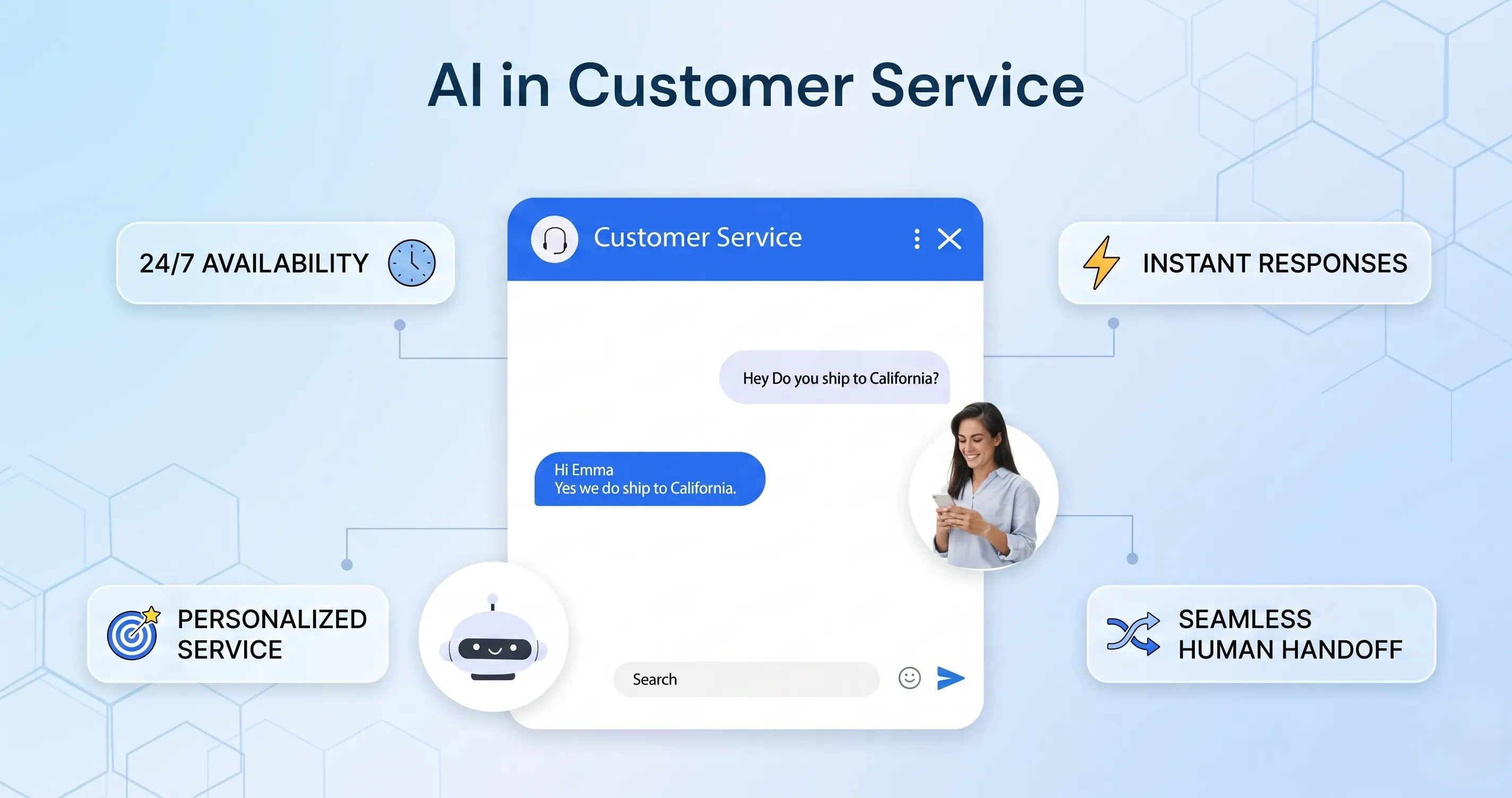
AI customer service helps brands improve and scale customer support functions without overwhelming agents. Scalability allows AI to handle large volumes of data and tasks simultaneously, making it easier for agents to prioritize inquiries during peak times and as the business grows. Quick, around-the-clock support helps provide continuous customer support without the need for human intervention.
The cost savings only hold, however, when AI is genuinely resolving conversations. If it is deflecting without resolving, the hidden costs in churn, repeat contacts, and brand damage can exceed what was saved. Browse AI Tools This distinction between deflection and resolution is the most important concept in AI customer support strategy.
The Five Core Use Cases for AI Customer Support Automation
1. Automated FAQ and Common Query Resolution
Train the AI on your top 20 to 50 most common questions covering areas like order status, return policies, pricing, and account setup. These typically represent 60 to 80 percent of support volume. With a well-configured AI system, these can be handled with 95-plus percent accuracy, responding in seconds instead of minutes.
FAQ automation is the highest-ROI starting point for most businesses because the volume is large, the queries are predictable, and the answers are well-defined. A customer asking "What is your return policy?" or "When will my order arrive?" does not need a human agent. They need an accurate answer delivered immediately.
The key to successful FAQ automation is knowledge base quality. AI is only as accurate as the information it retrieves answers from. Before deploying FAQ automation, audit your help documentation to ensure it is current, complete, and covers the questions customers actually ask rather than the questions your team assumes they ask. Review your ticket history to identify the 50 most common questions and build dedicated content for each one.
2. Intelligent Ticket Routing and Triage
AI analyzes incoming requests and routes them to the right team based on topic, urgency, and customer value. No more manual sorting or misrouted tickets. Browse AI Tools
Intent detection, routing, and priority assignment are among the most impactful ways AI improves the support operation. When every incoming contact is correctly categorized and routed without human intervention, response times improve across the entire operation, not just for automated queries.
Intelligent triage goes beyond simple keyword routing. Modern AI systems detect urgency signals in tone and content, identify high-value customers based on CRM data, recognize recurring issues from the same customer or account, and route contacts to agents with the appropriate expertise. This means a frustrated enterprise customer reporting a critical outage arrives in a senior agent's queue immediately rather than sitting in a general queue behind a password reset request.
3. AI Agent Assistance and Copilot Tools
In-agent tools draft replies, summarize threads, suggest macros, and recommend next-best actions. When AI is embedded into the helpdesk workflow, teams see faster adoption and cleaner operational change management.
AI copilot tools do not replace human agents. They make human agents significantly faster and more consistent. When an agent opens a ticket, the AI has already summarized the customer's history, suggested a likely resolution based on similar past cases, and drafted a first response the agent can review and send in seconds rather than composing from scratch.
AI automatically adjusts response length, tone, and style to match each customer's situation and sentiment. Teams can also automatically categorize sentiment in incoming messages to filter the inbox by message sentiment and quickly craft the best response to high-priority messages.
For teams not yet ready to deploy customer-facing AI automation, agent assistance tools are a lower-risk starting point that delivers measurable productivity improvements without any customer-facing risk.
4. Sentiment Detection and Smart Escalation
AI detects customer frustration in real time and triggers automatic escalation to human agents before situations deteriorate. This is the feature that prevents the chatbot loop problem that destroys customer trust.
Sentiment-based escalation is one of the most important safety mechanisms in any AI customer support deployment. A customer who has been passed through three automated responses without resolution and is now using words that signal high frustration should not receive a fourth automated response. They should be escalated immediately with full context transferred to the receiving agent.
The best implementations detect escalation triggers based on multiple signals simultaneously: repeated contacts on the same issue, negative sentiment language, specific keywords like urgent, legal, or cancel, customer value tier, and conversation length. When these signals combine, escalation is triggered automatically regardless of whether the AI could technically answer the next question.
5. Proactive Support and Predictive Outreach
AI flags unusual account activity, upcoming subscription renewals, or potential service disruptions and reaches out before the customer even contacts support. The best support interaction is the one customers never have to initiate.
Predictive analytics forecasts customer behavior, identifies at-risk accounts, and anticipates support volume spikes.
Proactive support transforms the customer relationship from reactive to anticipatory. An e-commerce customer whose package is running three days late receives a notification before they contact support. A SaaS customer who has not logged in for two weeks receives an outreach message asking if they need assistance. A subscriber approaching a renewal receives a personalized communication addressing any open issues before the renewal date. These proactive contacts prevent support tickets while simultaneously improving customer satisfaction and retention.
The Hybrid Model: AI and Human Support Working Together
Hybrid customer service combines AI automation with live human assistance. The AI handles the repetitive front line including greetings, FAQs, lead capture, routing, appointment requests, basic qualification, and after-hours coverage. When the conversation becomes sensitive or more complex, the interaction moves to a trained person. This model does three things especially well. First, it reduces response time since customers no longer wait in a queue for basic information. Second, it improves consistency since AI follows the same approved flow every time. Third, it protects the customer experience since if the AI cannot resolve the issue, the customer still has a path to a human conversation.
AI will automate large portions of repetitive work, but human agents remain necessary for complex, emotional, high-stakes, and exception-heavy cases. The practical model is: AI handles volume, humans handle edge cases and oversight.
The most common implementation failure is attempting too much automation too quickly. Businesses that automate everything from day one, including complex, emotionally sensitive, or high-stakes interactions, damage customer relationships before the efficiency benefits are realized. The hybrid model protects against this by maintaining clear, frictionless paths to human agents at every stage of the automated experience.
Best AI Customer Support Tools in 2026
Zendesk AI
Zendesk AI powers the customer service platform to automate repetitive tasks, route requests intelligently, and equip agents with real-time context and recommendations. By connecting data, workflows, and knowledge, it enables organizations to resolve issues faster, reduce costs, and maintain consistent service quality across every interaction.
Zendesk is the most widely adopted platform for mid-market and enterprise customer service teams. Its AI layer handles ticket classification, automated responses, agent assistance, and knowledge base optimization within a unified system that integrates with hundreds of business tools. For teams already on Zendesk, the AI features activate as enhancements to existing workflows rather than requiring a separate implementation.
Intercom Fin
Intercom Fin is built specifically for AI-first customer support, using retrieval-augmented generation to answer questions from your knowledge base with high accuracy. Unlike chatbots that pattern-match to scripts, Fin reads your actual help documentation and generates contextually accurate answers. For teams with well-maintained knowledge bases, Fin can resolve a significant portion of incoming contacts without escalation.
Crescendo.ai
Crescendo.ai is a leading AI customer support automation platform built on the latest enterprise-grade LLM and NLP technology. It fully automates customer service by delivering around-the-clock support across live chat, voice, email, and SMS with 99.8 percent accuracy in 50-plus languages. Unlike basic bots, its automation handles complex, multi-step customer issues end to end using human-like emotional intelligence and decision-making without constant agent involvement. Zapier
Gorgias
Gorgias is an e-commerce-focused customer service automation platform built to help online brands manage high support volumes without scaling large agent teams. Designed primarily for Shopify, Magento, and BigCommerce stores, Gorgias automates repetitive customer inquiries while keeping human agents in control when needed. The platform connects deeply with e-commerce data, allowing support teams to resolve issues faster with full order context. Zapier
For D2C e-commerce brands dealing with high volumes of order status, refund, and return queries, Gorgias is the strongest specialized option because every automated response has access to real order data rather than relying on generic templates.
How to Implement AI Customer Support Automation
Step 1: Define Success Before Building
Start by identifying the specific challenges AI should solve. These may include reducing response times, improving customer satisfaction, or automating routine tasks. Focus on measurable outcomes that align with business priorities.
Useful launch metrics include activation rate, first-week retention, percentage of members who complete onboarding, event attendance, and the number of meaningful conversations per week. Vanity metrics can be misleading if most activity stays silent.
For AI customer support specifically, the key metrics to define in advance are: target resolution rate for automated contacts, acceptable escalation rate, maximum first-response time, and customer satisfaction score targets. Define what success looks like before you build, and measure against those definitions rather than moving the goalposts after deployment.
Step 2: Audit Your Knowledge Base
Your AI is only as accurate as the knowledge it retrieves answers from. Before any customer-facing deployment, comprehensively review your help documentation, FAQ content, and internal knowledge base. Identify outdated articles that contain incorrect information, gaps where common questions have no documented answer, and ambiguous content that could generate misleading AI responses.
Your AI is only as good as the knowledge it can retrieve. Retrieval-augmented generation rewards teams that treat content as operational infrastructure that supports real-time resolution. Canva
Step 3: Start Narrow and Expand
Introduce agents to how AI tools enhance their work. Training should focus on collaboration with AI agents and understanding AI-driven insights to improve customer interactions.
Begin with a single, well-defined use case. FAQ automation for your most common inquiry type is typically the right starting point. Measure performance carefully for two to four weeks, review every case where the AI failed or escalated, and identify the root causes before expanding to additional use cases. High-performing teams review unanswered questions and low-confidence resolutions weekly and update content accordingly. Canva
Step 4: Build Visible Escalation Paths
Every automated interaction needs a clear, frictionless path to a human agent that customers can access at any point. Never trap customers in loops where they cannot reach a person. The escalation option should be visible rather than buried, immediate rather than delayed, and complete rather than restarting the conversation from scratch with the context transferred.
Step 5: Measure Resolution, Not Deflection
Traditional metrics like ticket volume and deflection rates are insufficient in an AI-driven support model. They obscure whether customers actually got their problems solved. Resolution rate, the percentage of issues fully resolved end to end by AI, is the primary KPI. Time to resolution typically improves once AI is integrated into workflows and knowledge is kept current. Canva
The five root causes of AI support failure are over-automation without escape routes, AI hallucinations caused by poor data constraints, training on documentation alone instead of real conversations, ignoring industry-specific requirements, and measuring the wrong metrics.
Common Mistakes That Cause AI Support to Fail
Over-automating without escape routes. Every customer interaction must have a path to a human agent. Systems that loop customers through automated responses when they clearly need human help produce intense frustration and damage trust.
Training on documentation alone. Your help center articles are written by your team. Your customers do not ask questions in the same language your team uses to answer them. Train your AI on real customer queries from ticket history, not just on your official documentation.
Ignoring the trust dimension. According to Salesforce, only 42 percent of customers trust businesses to use AI ethically, down from 58 percent in 2023. Transparency about when customers are interacting with AI versus a human agent is both an ethical requirement and a trust-building practice.
Measuring deflection rather than resolution. An AI that deflects 70 percent of tickets by ending conversations before they are resolved has not improved your customer support. It has frustrated 70 percent of the customers who needed help.
Conclusion
AI customer support automation in 2026 is not about replacing human connection. It is about deploying AI for the high-volume, repetitive interactions where speed and accuracy matter more than human nuance, and reserving human agents for the complex, emotional, and high-stakes interactions where genuine empathy determines the outcome.
The future of customer service is not a choice between machines and people. It is a better division of labor between the two. AI should handle the repetitive work humans no longer need to do. Humans should handle the moments that require judgment, reassurance, and flexibility. Businesses that get that balance right will not just save time. They will create customer experiences that feel faster, smarter, and far more trustworthy.
Start with a single, well-defined automation use case. Build your knowledge base into the infrastructure it needs to be. Measure resolution rate rather than deflection rate. Maintain clear escalation paths. And expand your AI support capabilities incrementally as each component demonstrates genuine, measurable improvement in customer outcomes.